
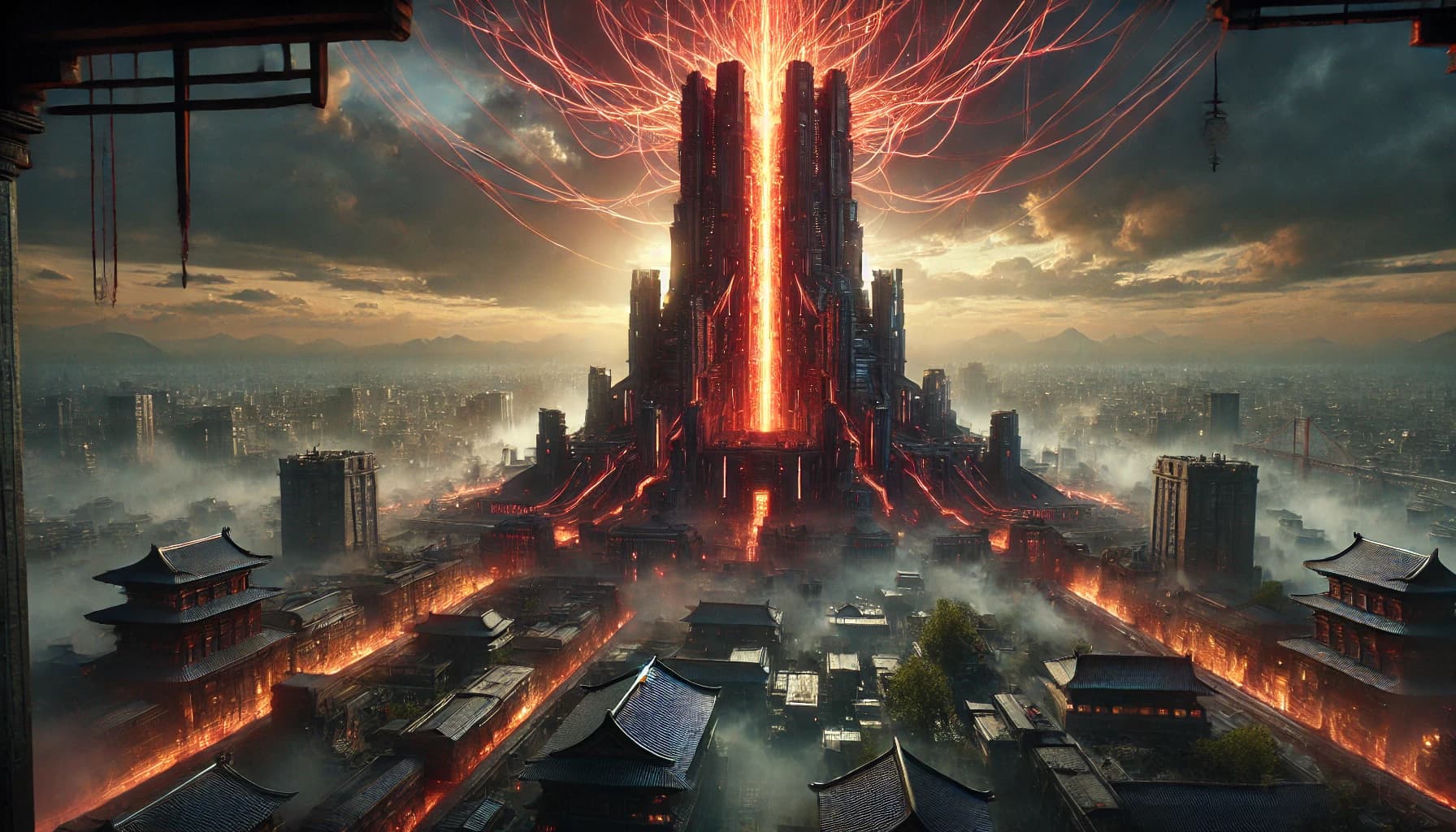
『炎炎ノ消防隊』において、アマテラスとは単なる発電施設ではなく、物語の根幹に関わる重要な装置として描かれています。
その姿は巨大な塔のようで、東京皇国全体にエネルギーを供給しており、人々の生活にとって不可欠な存在です。
しかし、物語が進むにつれて明らかになるのは、そのアマテラスがただの発電装置ではなく、「生ける人間」を動力源として稼働しているという衝撃の事実です。
本記事では、『炎炎ノ消防隊』に登場するアマテラスの正体とは何なのか、そしてそれが意味する世界のエネルギー源の謎について、原作およびアニメの情報をもとに丁寧に考察していきます。
テクノロジーと信仰が混在する『炎炎ノ消防隊』の世界で、アマテラスという存在は何を象徴し、どのような問いを投げかけているのでしょうか。
この記事を通じて、その答えに少しでも近づいていけたらと思います。
アマテラスとは何か?『炎炎ノ消防隊』におけるエネルギー源の象徴
『炎炎ノ消防隊』の舞台となる「東京皇国」において、アマテラスは絶対的な存在です。
外見は塔のように高く聳え立つ巨大建造物で、その内部から都市全体に電力を供給する火力発電施設とされています。
この施設は、太陽暦の始まりとともに建造されたものであり、「大災害」後の混乱した世界で人々の生活を支える唯一のエネルギー源とされてきました。
また、アマテラスはただの発電装置ではなく、「聖陽教会」によって神聖視される御神体としても機能しており、宗教的象徴としての側面も持ち合わせています。
アマテラスの建造背景と目的
アマテラスは、太陽暦元年における「大災害」後に人類が生き延びるための再生装置として開発されたとされています。
建造にあたっては、「灰島重工」と「聖陽教会」が深く関与しており、科学技術と宗教的信仰の両輪によって成り立っているのが特徴です。
人々が炎に怯えるなか、恒常的なエネルギー供給は社会秩序の回復をもたらし、東京皇国という国家の再構築を可能にしました。
つまりアマテラスは、文明の復興と秩序の象徴としての役割を果たしていたのです。
聖陽教会と灰島重工の関与
物語の中で特に重要なのが、「聖陽教会」と「灰島重工」という二つの組織の存在です。
表向きには、聖陽教会がアマテラスを“神の火”として祀り、人々に信仰を与えています。
しかし実際には、科学技術の粋を集めて建造された装置であり、灰島重工という巨大企業がその設計・管理に関与しています。
信仰とテクノロジーの境界線が曖昧に引かれていることが、『炎炎ノ消防隊』におけるアマテラスの大きな特徴です。
アマテラスの社会的・宗教的象徴性
アマテラスは発電装置であると同時に、「神の御業」として語られる象徴的存在です。
このダブルミーニングが、作品の宗教観や倫理観に深く関わってきます。
人々はアマテラスを通して“神の恩恵”を受けていると信じており、生活のすべてがこの装置によって成り立っています。
つまりアマテラスは、科学的装置でありながら「宗教的絶対性」をもって崇められているのです。
アマテラスの稼働状況と人々の認識
東京皇国では、アマテラスが稼働していることは当たり前の前提として扱われています。
人々はその内部構造や仕組みについてほとんど知らされておらず、稼働を維持する仕組みについても議論の余地が与えられていません。
これは、技術が“神格化”されることで、無知や盲目的信仰が支配する構造を象徴しています。
こうした「知らされないことへの服従」こそが、『炎炎ノ消防隊』の社会の根幹をなしていると言えるでしょう。
このように、アマテラスは単なるエネルギー供給装置ではなく、人々の生活・信仰・社会秩序の中心に据えられた世界の構造そのものを象徴する存在となっています。
アマテラスの動力源「アドラバースト」とは?
アマテラスが稼働するために必要とされるのが、「アドラバースト」と呼ばれる特別な炎です。
この炎は、通常の火とは異なる特性を持ち、「穢レ無キ炎(けがれなきほのお)」として、限られた者だけが宿すことができる希少なエネルギー源とされています。
『炎炎ノ消防隊』の物語において、アドラバーストはエネルギー源であると同時に、“選ばれし者”の証でもあるという二重の意味を持ちます。
アドラバーストの定義と特性
アドラバーストは、異界「アドラ」と繋がることで得られる特異な炎であり、普通の発火能力とは根本的に異なります。
その炎は圧倒的な純度を持ち、他の炎と比べて桁違いの出力を発揮します。
発動する際には、使用者の体に特有の“円環”の紋様が現れるという描写も印象的です。
このアドラバーストこそが、アマテラスを支える唯一のエネルギー源なのです。
アドラバーストを持つ者=柱の存在
アドラバーストを宿す者は「柱」と呼ばれ、作中では8人の柱の存在が示唆されています。
主人公・森羅日下部もその一人であり、彼の能力は物語の鍵を握る重要な要素です。
その他にも、象日下部、ハウメア、ショウ・クサカベなど、強力な能力者が柱として登場します。
それぞれが異なる能力と背景を持っており、物語全体の構造に大きな影響を与えています。
アマテラスにおけるアドラバーストの利用方法
ここで最も衝撃的なのは、アマテラスは「一人の柱」を永久に封印し、そのアドラバーストを動力として稼働しているという点です。
この事実は、中華半島での調査によって判明します。
似た構造を持つ御神体が発見され、その内部に人間が閉じ込められていたことが、アマテラスの“正体”を示唆することになります。
つまり、文明の維持には、一人の犠牲によって成り立つ強制的な仕組みが内包されていたのです。
アドラバーストとアドラリンクの関係性
アドラバーストを持つ者たちは、異界「アドラ」との繋がりを持ち、「アドラリンク」と呼ばれる精神的交信を行うことができます。
これは、柱同士やアドラの存在との接触を可能にするものであり、物語が神秘性を帯びる一因となっています。
アドラリンクを通じて、彼らはビジョンや感覚を共有し、時には過去や未来の断片を見ることもあります。
この能力が、「個の意志」を超えた運命的な繋がりを提示し、アドラバーストを単なるエネルギー以上のものとして際立たせています。
こうして見ると、アマテラスとアドラバーストの関係性は、単に「装置と燃料」の関係を超えています。
そこには、意志、犠牲、宗教性、そして「選ばれた運命」といったテーマが深く関わっており、まさに『炎炎ノ消防隊』の物語全体に通底する問いを象徴しているのです。
アマテラスの正体に迫る:中華半島での発見とその意味
物語が進行する中で、主人公たちは「中華半島」へと赴き、そこでアマテラスと酷似した構造を持つ施設——いわゆる「御神体」を発見します。
この発見は、アマテラスに関する最大のタブーに触れる瞬間であり、東京皇国の社会構造、そして人類が享受している文明の基盤を揺るがす重要な転換点となります。
中華半島での御神体の発見とその構造
中華半島の調査で発見された御神体は、アマテラスと極めてよく似た構造を持っています。
外見は塔状の巨大な建造物で、周囲には信仰の痕跡と見られる遺跡が広がっています。
この御神体の内部には、「人間」が封じ込められていることが判明します。
その人物は、かつてアドラバーストを持っていた柱の一人であり、装置の心臓部としてエネルギーを供給し続けていたのです。
御神体に封じ込められた人間の存在
この「封じられた人間」こそが、アマテラスの動力の核心をなしています。
中華半島の御神体では、意識を失った状態で長期間閉じ込められていた柱が見つかり、彼の炎によって装置全体が稼働していたことが確認されます。
この構造を目の当たりにした主人公たちは、東京皇国のアマテラスにも同様の仕組みが存在している可能性を確信します。
つまり、我々が恩恵として享受していた「エネルギー」は、他者の命を代償として成立していたのです。
東京皇国のアマテラスとの類似点
御神体と東京皇国のアマテラスとの構造的な類似は、偶然ではありません。
両者ともにアドラバーストを持つ人間を中枢に組み込み、永続的な出力を確保するという発想のもとに設計されています。
このような構造は、灰島重工が手がけたアマテラスの技術的ルーツが、かつての文明や「伝播された技術」であることを示唆しています。
つまり、アマテラスは科学の結晶であると同時に、倫理的問題を内包した装置でもあるのです。
アマテラスの真の目的とその影響
アマテラスは表向きには人々の生活を支える発電装置であり、文明の復興の象徴です。
しかしその裏には、一人の人間を犠牲にすることで成り立つ「閉じた装置」としての一面があります。
この仕組みを正当化するために、聖陽教会は宗教的な教義を用いて装置を“神聖な存在”として祭り上げています。
人々が真実に気づかないように、「信仰」と「無知」のヴェールが幾重にも張り巡らされているのです。
中華半島での発見によって、アマテラスの正体は「テクノロジーによる犠牲の制度化」であることが明らかになります。
この事実は、単なる発電技術を越えて、文明そのものに潜む“倫理なき繁栄”という重たいテーマを読者に突きつけてきます。
アマテラスと聖陽教会:宗教と科学の交錯
『炎炎ノ消防隊』におけるアマテラスは、単なる科学的なエネルギー供給装置にとどまりません。
それは同時に、「聖陽教会」によって神格化され、人々の信仰の中心として祀られている存在でもあります。
この宗教的象徴と技術的実態の乖離は、作品全体に通底するテーマのひとつ——「信仰と欺瞞」「真実と沈黙」——を体現しています。
聖陽教会の教義とアマテラスの位置づけ
聖陽教会は、“太陽神”への信仰を核に据えた宗教組織で、アマテラスを「神の火」として崇めています。
この神の火によって、世界は再び光を取り戻し、人々は生活の安寧を得たと教義で説かれています。
その中心にあるのが、「聖なる炎の象徴」としてのアマテラスです。
信仰の対象として位置づけることで、アマテラスの真実は巧妙に隠蔽されているとも言えるでしょう。
アマテラスの科学的構造と宗教的象徴性
実際のアマテラスは、前章で触れたように、アドラバーストを持つ人間を内部に封じることで動力を得ています。
つまり、その本質は非常に現実的で物理的な装置に過ぎません。
しかし、信仰というフィルターを通すことで、その存在は“絶対的なるもの”へと変貌します。
この宗教と科学のねじれた同居が、本作の倫理的葛藤の核心なのです。
宗教と科学の融合による社会的影響
アマテラスを巡る構造は、宗教と科学が完全に融合した世界観を象徴しています。
人々は科学の恩恵を信仰の証と受け取り、疑問を抱く余地すら与えられていません。
この状態は、知の独占と情報の制御によって成立しており、「知らされないこと」が“安定”を支えるという皮肉な構造となっています。
科学の成果が宗教の権威に吸収されていく危うさが、この章には強く表れています。
アマテラスを巡る信仰と現実の乖離
作中で、シンラたち第8特殊消防隊が真実に近づいていく過程では、「信仰を壊す者」として扱われる場面があります。
それは、アマテラスの正体を知ることが、宗教的権威を揺るがし、社会秩序をも破壊しかねないとされているからです。
そのため、聖陽教会や灰島重工は、真実を明らかにしようとする者に強い抑圧を加えます。
真実が語られない社会、信仰の名のもとに維持される平和。これは現実社会への示唆とも取れる深い構造です。
このように、『炎炎ノ消防隊』におけるアマテラスは、宗教と科学、信仰と現実の複雑な結びつきを描き出す装置でもあります。
その存在は、ただの“装置”ではなく、人間社会の構造的問題や思想の重なりを問う、深遠なモチーフとして物語に織り込まれているのです。
アマテラスの正体が示す『炎炎ノ消防隊』のテーマ
『炎炎ノ消防隊』におけるアマテラスの正体は、人間の意志や倫理を越えた“仕組み”の象徴として描かれています。
その構造を知ることで明らかになるのは、物語全体に通底するテーマ――つまり、「犠牲に支えられた文明」「見えざる信仰」「真実を前にした個の意志」といった要素の連関です。
この章では、アマテラスという存在が内包する主題を通して、作品の根底にある問いを掘り下げていきます。
アマテラスの正体と人間性の喪失
アマテラスがアドラバーストを持つ人間を“永久動力”として稼働しているという事実は、そのまま人間性の道具化を意味しています。
個人の意志や尊厳が無視され、「機能」として扱われる構造は、現代にも通じる構造的暴力を示唆しています。
これは、能力の有無によって人間の価値が分断されていく、ディストピア的世界観でもあります。
アマテラスとは、“選ばれた人間”がその身を明け渡すことで成立する制度装置なのです。
技術の進歩と倫理的ジレンマ
アマテラスは確かに人々の生活を豊かにしました。
しかし、その裏で人間を“部品”として利用しているという倫理的矛盾が横たわります。
このジレンマは、現代のテクノロジー社会にも通じる問題提起です。
AIやバイオテクノロジーの発展と、そこに組み込まれる「人間の境界」は、まさに『炎炎ノ消防隊』が描こうとする問いと重なります。
犠牲と社会の発展の関係性
アマテラスの正体は、「一人の犠牲によって多くの恩恵が成り立つ」という社会的構造の縮図です。
そしてそれは、黙って捧げられた命の上に築かれた平和という、強烈な矛盾を物語っています。
この構造は、歴史的に繰り返されてきた「犠牲の見えにくさ」とも共鳴します。
本作は、そうした“見えない犠牲”に焦点を当てることで、社会の在り方そのものを問い直しているのです。
『炎炎ノ消防隊』における人間の尊厳と希望
それでも、物語は絶望で終わりません。
主人公・シンラは、真実を知ったうえでアマテラスの構造を変える道を選びます。
それは「支配の仕組み」を維持するのではなく、人間の意志で社会の仕組みを再設計するという選択です。
この意志の提示が、『炎炎ノ消防隊』のテーマを単なるディストピア批判ではなく、希望の物語として立ち上がらせています。
アマテラスの構造に潜む倫理、宗教、テクノロジーの重層性は、単なるSF的ガジェットではなく、現代を生きる読者に対する静かな問いかけとして響き続けます。
その問いは、「あなたが享受している社会の裏に、誰かの犠牲があるとしたら?」という形で、読後にも残る余韻となって心に漂います。
まとめ:アマテラスの正体が問いかけるもの
『炎炎ノ消防隊』に登場するアマテラスは、単なるエネルギー供給装置という設定を超え、作品全体のテーマを凝縮した象徴として描かれています。
その内部には、選ばれた人間が封じられ、意識を失ったまま世界を支える“永久の炎”となっている。
この構造を知ることで、物語の風景は一変します。
私たちが「当たり前」だと思っていた文明や平和は、実は見えない犠牲のうえに成り立っていた――その事実に、静かに向き合わせる装置こそがアマテラスなのです。
中華半島での御神体の発見、聖陽教会の信仰の構造、そして灰島重工の技術的支配。
それらが複雑に絡み合うことで、アマテラスは単なるテクノロジーの結晶ではなく、「見えない制度の象徴」として読者の前に立ち現れます。
主人公・シンラの視点から見れば、それは打ち破らなければならない“支配の装置”であり、社会全体から見れば“必要悪”として機能し続ける存在です。
この両義性こそが、『炎炎ノ消防隊』という物語が持つ奥行きであり、深みであると感じられます。
物語の終盤、アマテラスの秘密に迫る者たちは、社会から「異端」として扱われながらも、未来を変える意志を手放しません。
その姿は、現実においても構造の中で声を上げようとする人々に重なります。
アマテラスとは、文明と信仰、科学と犠牲、そして希望と再生のすべてを内包する“問いの装置”です。
その正体を知った今、もう一度この物語を読み返すとき、見えてくる風景はきっと違っているはずです。
見逃した、と思っても大丈夫。
14日間のトライアルあり。

登録時に付与されるポイントがそのまま使えるため、試すだけでも得です!

